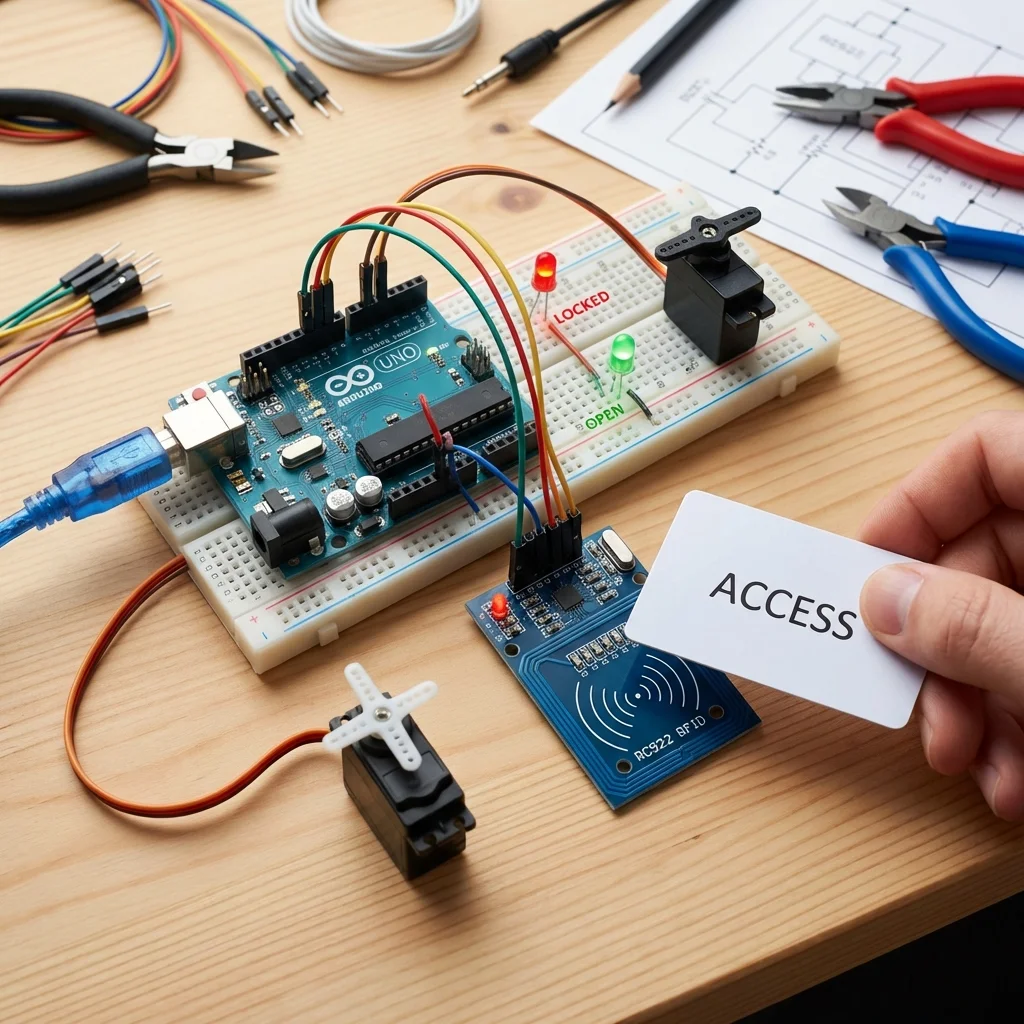
Forget keys! In this project, we'll build a secure RFID Door Lock System. Simply swipe your authorized tag or card, and the servo motor will turn to unlock the door. It's the same technology used in office buildings and hotels.
Components Used:
- Arduino Uno (or Nano)
- MFRC522 RFID Module (Reader + Tags)
- SG90 Servo Motor (Acting as the lock latch)
- Red & Green LEDs + Buzzer (for feedback)
- Breadboard & Wires
How it Works:
The MFRC522 module reads the unique ID (UID) of any RFID tag brought close to it. The Arduino
compares this UID against a list of "Master Keys" stored in its code.
- Match: Green LED blinks, Buzzer beeps once, Servo rotates 90° (Unlock).
- No Match: Red LED blinks, Buzzer beeps 3 times, Servo stays locked.
Circuit Connections (MFRC522 to Arduino):
- SDA (SS): Pin 10
- SCK: Pin 13
- MOSI: Pin 11
- MISO: Pin 12
- RST: Pin 9
- 3.3V: 3.3V (Using 5V will fry it!)
Arduino Code Snippet:
#include <SPI.h>
#include <MFRC522.h>
#include <Servo.h>

#define SS_PIN 10
#define RST_PIN 9
MFRC522 mfrc522(SS_PIN, RST_PIN);
Servo myServo;

String masterTag = "A3 B2 C1 D4"; // Example UID

void setup() {
  Serial.begin(9600);
  SPI.begin();
  mfrc522.PCD_Init();
  myServo.attach(3);
  myServo.write(0); // Locked
}

void loop() {
  if (!mfrc522.PICC_IsNewCardPresent() || !mfrc522.PICC_ReadCardSerial())
    return;

  String content = "";
  for (byte i = 0; i < mfrc522.uid.size; i++) {
    content.concat(String(mfrc522.uid.uidByte[i] < 0x10 ? " 0" : " "));
    content.concat(String(mfrc522.uid.uidByte[i], HEX));
  }
  content.toUpperCase();

  if (content.substring(1) == masterTag) {
    Serial.println("Access Granted");
    myServo.write(90); // Unlock
    delay(3000);
    myServo.write(0);  // Lock again
  } else {
    Serial.println("Access Denied");
  }
}