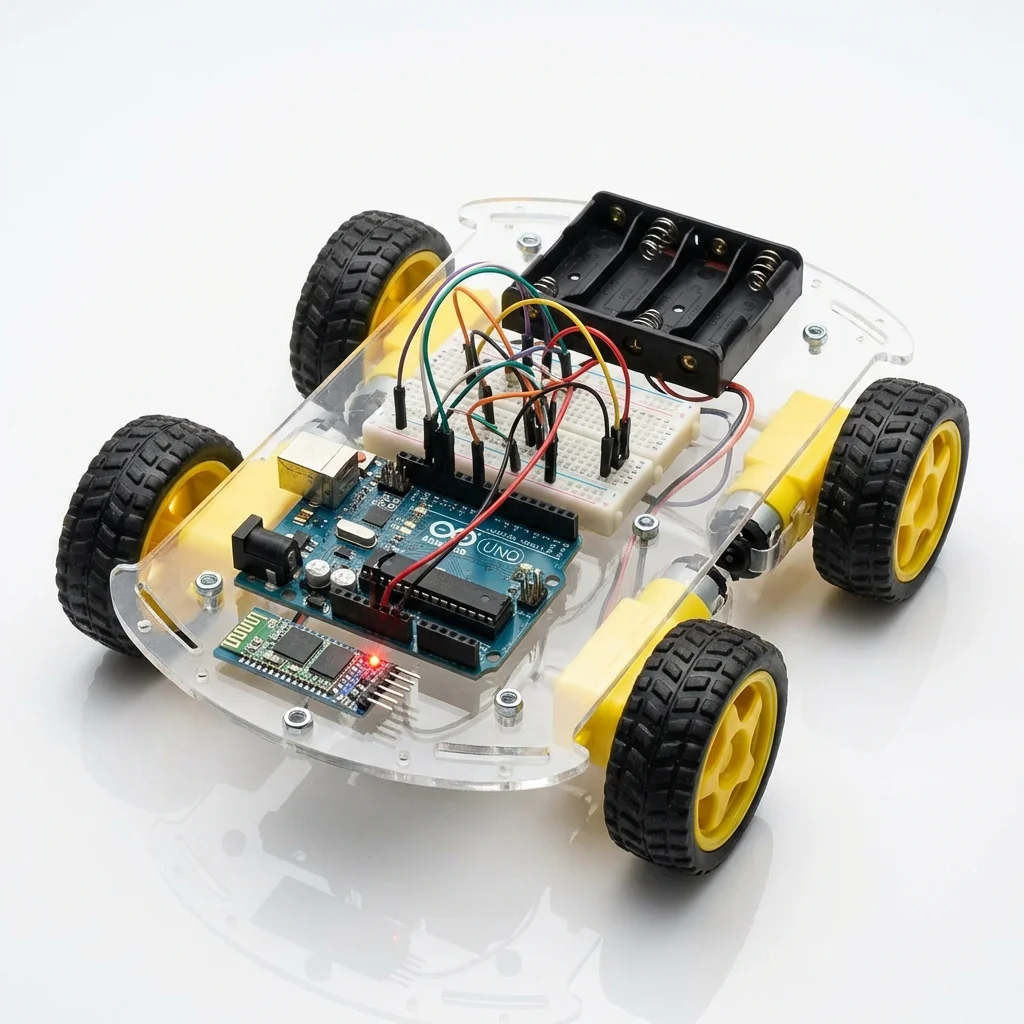
Turn your smartphone into a remote control! In this project, we utilize the HC-05 Bluetooth module to create a wireless link between an Android app and your Arduino robot car. Use your phone's accelerometer or on-screen buttons to drive it.
Components Used:
- Arduino Uno
- HC-05 Bluetooth Module
- L298N Motor Driver
- 2 x DC Gear Motors + Wheels
- Robot Chassis, Battery Pack, Jumper Wires
How it Works:
The HC-05 module receives serial data sent from your phone via Bluetooth. The Arduino reads this data (characters like 'F', 'B', 'L', 'R') and commands the L298N motor driver to spin the motors in the correct direction and speed.
Circuit Connections:
- HC-05 RX: Arduino TX (Pin 1) *Use voltage divider if needed
- HC-05 TX: Arduino RX (Pin 0)
- L298N IN1-4: Arduino Pins 8, 9, 10, 11
Arduino Code Snippet:
char command;

void setup() {
  Serial.begin(9600); // Bluetooth comms
  // Set motor pins as OUTPUTs...
}

void loop() {
  if (Serial.available()) {
    command = Serial.read();

    if (command == 'F') moveForward();
    else if (command == 'B') moveBackward();
    else if (command == 'L') turnLeft();
    else if (command == 'R') turnRight();
    else if (command == 'S') stopCar();
  }
}